Skip to content

Draw Steel Elements Plugin for Obsidian

Statblocks, ability cards, initiative and negotiation trackers, hero sheets and a synced copy of the Draw Steel Compendium — all inside your Obsidian vault.

The Draw Steel Elements Obsidian Plugin is an independent product published under the DRAW STEEL Creator License and is not affiliated with MCDM Productions, LLC. DRAW STEEL © 2024 MCDM Productions, LLC.

Reading mode only. The plugin renders in Obsidian's Reading view; blocks show as plain code in Live Preview. Switch a note to Reading view (Ctrl/Cmd + E) to see your elements.

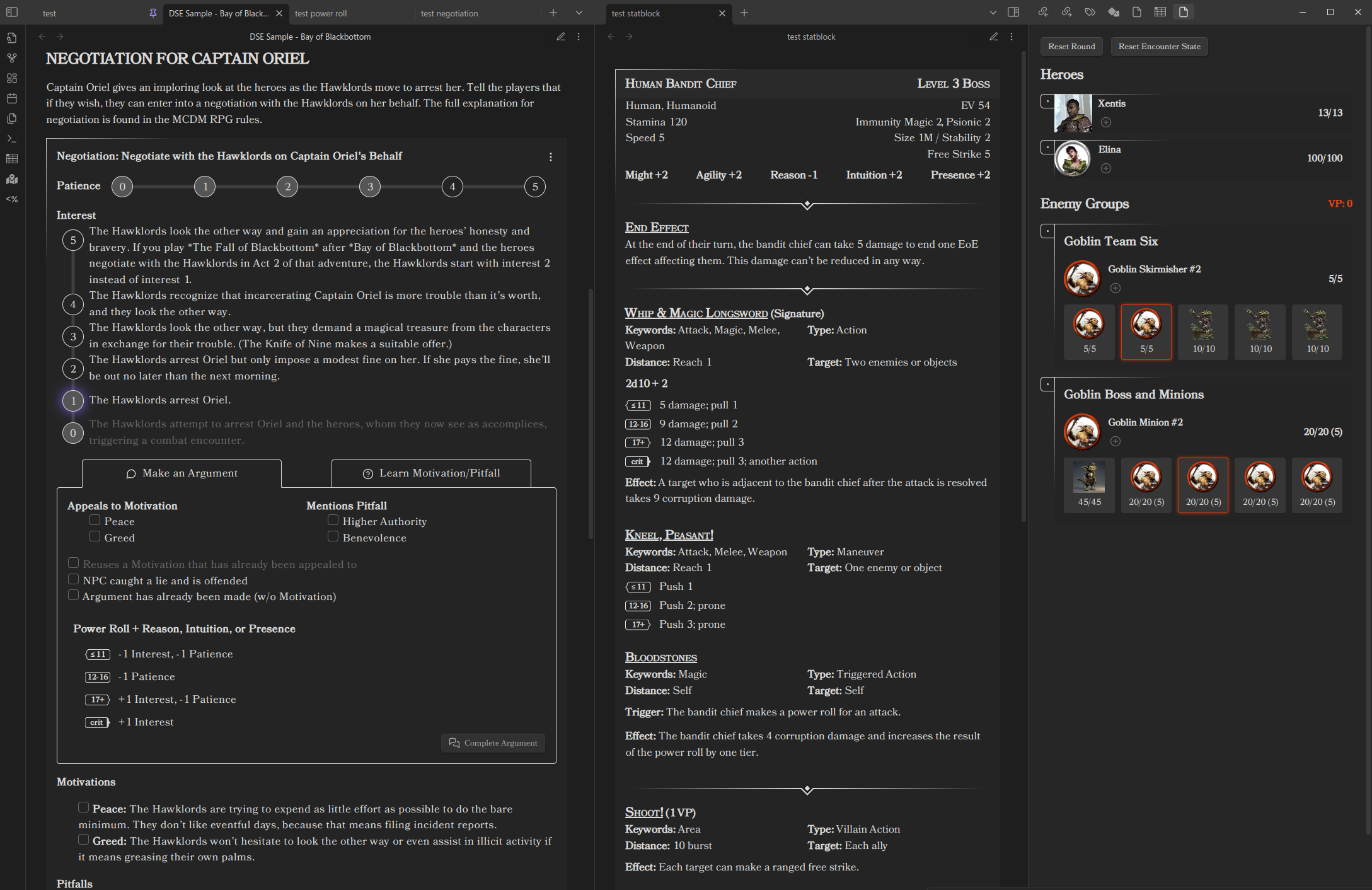
sample.png

Start here

New to the plugin? Getting started takes you from installing it to running a fight, assuming no YAML or markdown knowledge.

Guides

Reference

Requires Obsidian 1.13.0 or newer.

Elements

Everything below is a fenced code block whose language is one of the listed names. Each element accepts YAML inside the block; the extra names are shorter aliases for the same element.

Content you write or reference

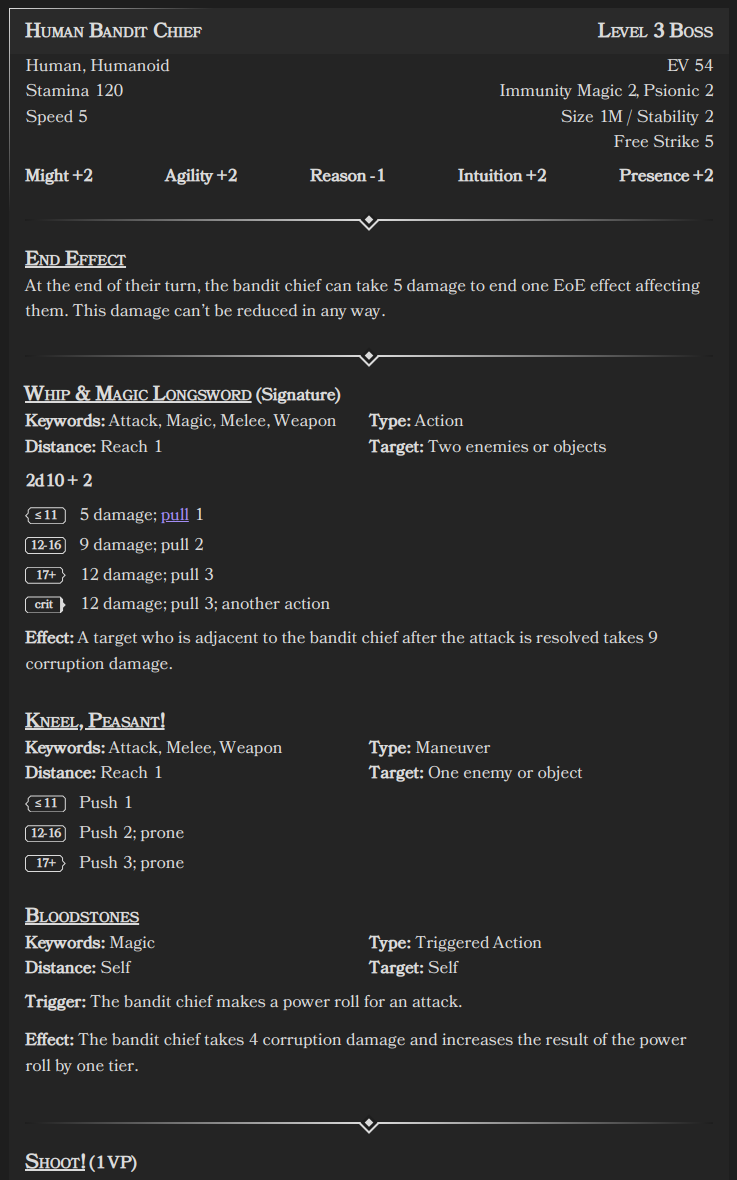
Statblockds-statblock, ds-sb

A full creature statblock: characteristics, stats, traits, abilities and villain actions. The body can be your own YAML, or a reference to a compendium creature.

Statblock.png

Feature / ability cardds-feature, ds-ft, ds-feat

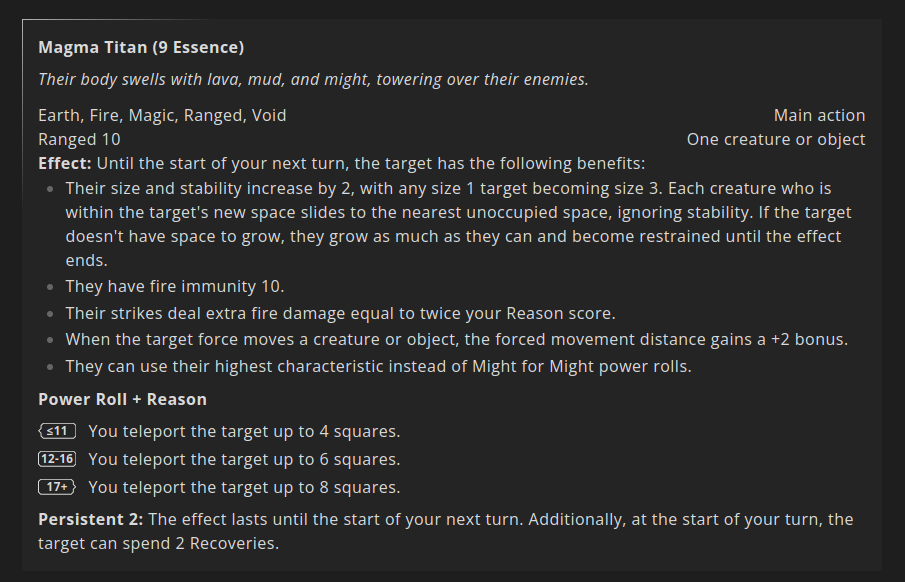
One ability, trait, test or custom power roll, rendered as a card with its power-roll tiers.

feature.png

Featureblockds-featureblock, ds-fb

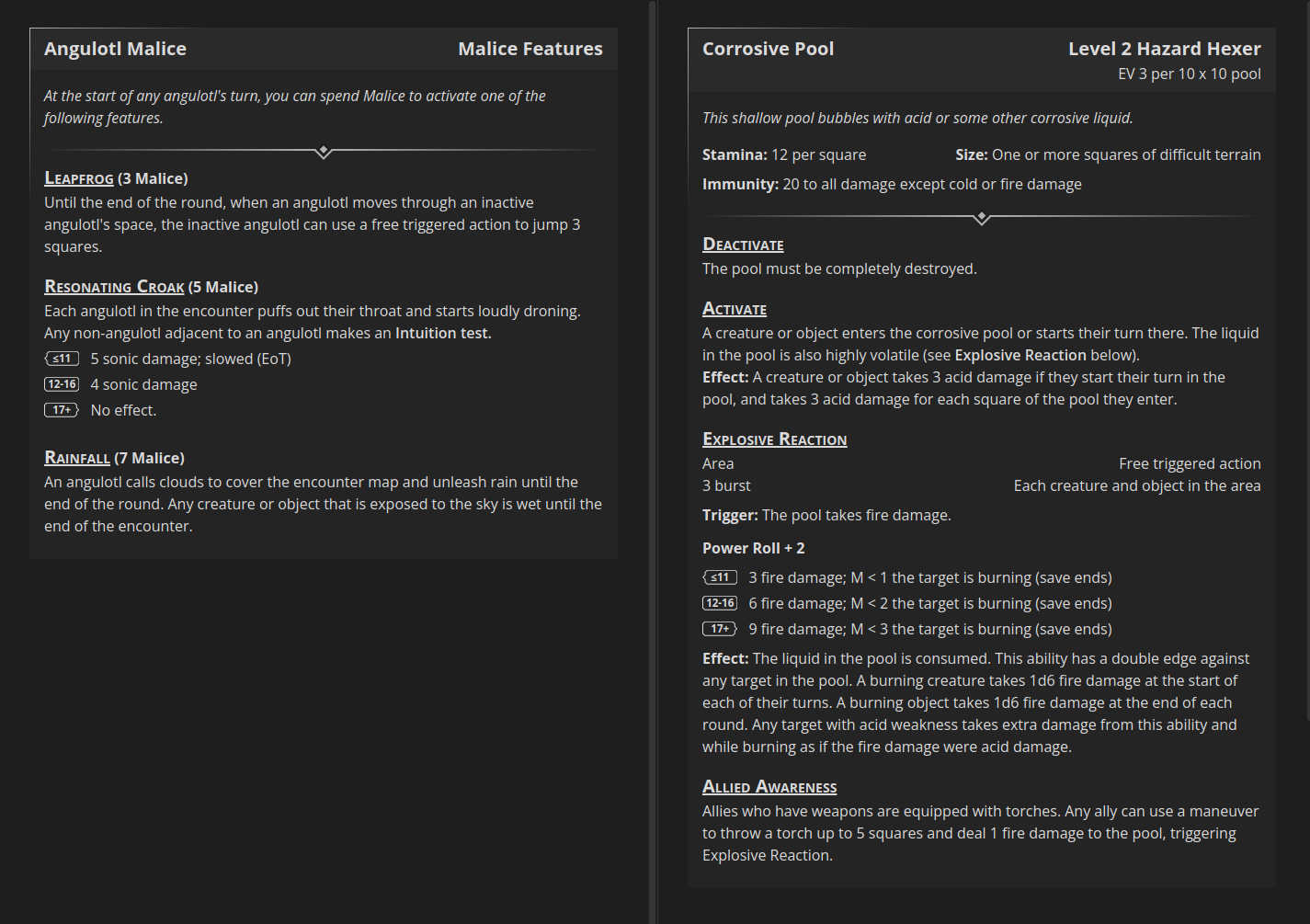
A group of features shown together — Malice features, Dynamic Terrain, and similar.

featureblock example

Compendium referenceds-scc

Renders any entry from your synced compendium. The body is the entry's SCC code and nothing else, so the card always reflects the currently synced version.

Rollds-roll, ds-r, ds-power-roll

A standalone dice roller: power rolls with tiers, tests, opposed rolls and flat dice.

roll

Horizontal ruleds-hr, ds-horizontal-rule

A section divider styled like the ones in the book.

Running the game

Initiative trackerds-initiative, ds-it, ds-init

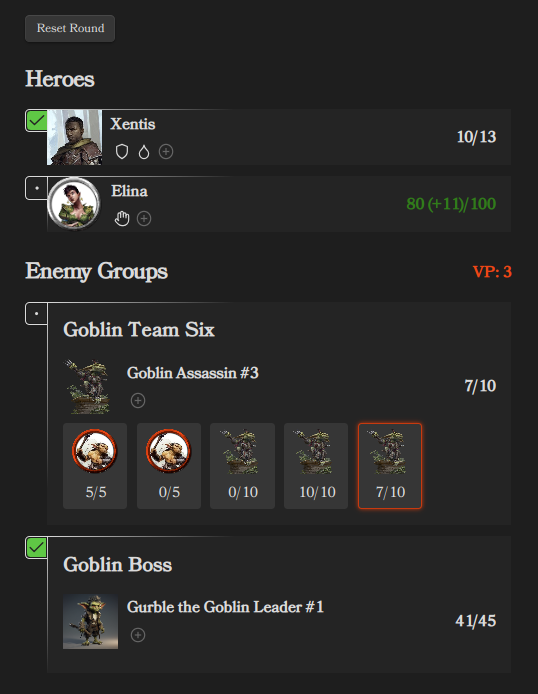
Run an encounter: heroes and enemy groups, turn order, Stamina, conditions, minion pools, the Malice pool with its log, and a per-actor action checklist.

Initiative Tracker.png

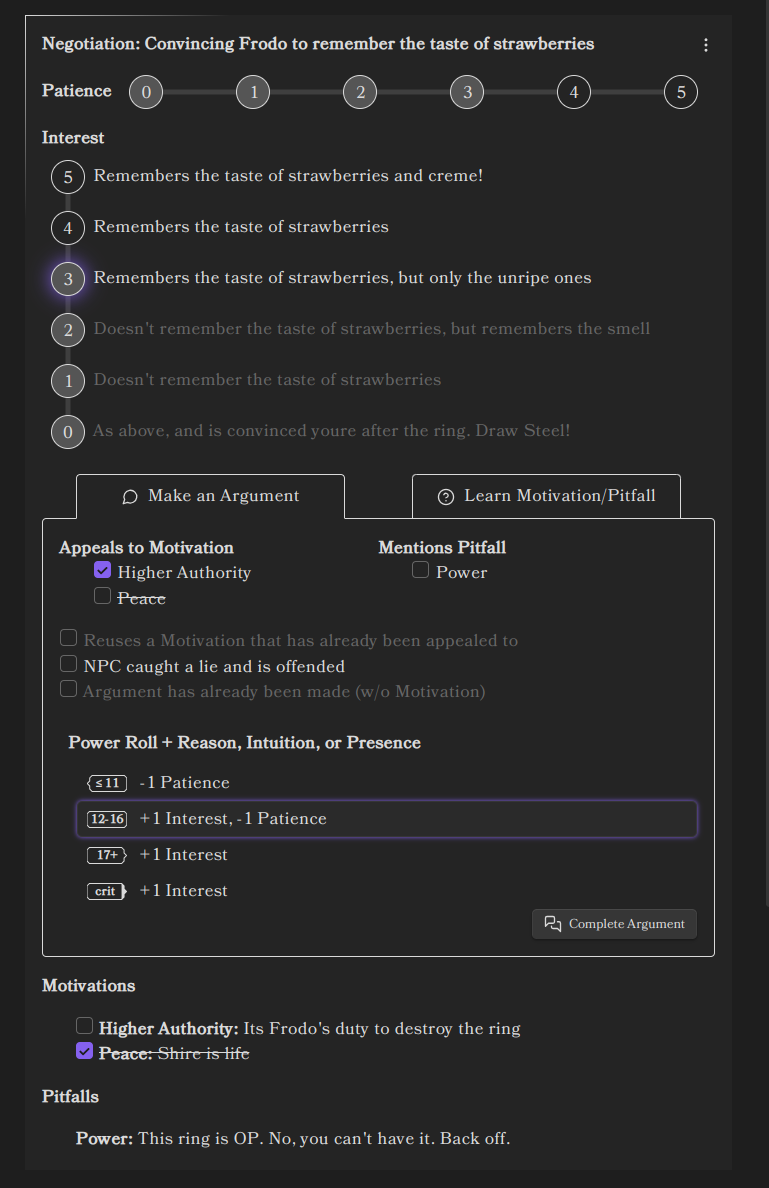
Negotiation trackerds-negotiation, ds-nt

Run a negotiation: interest and patience, motivations and pitfalls, and the argument power roll.

Initiative Tracker.png

Encounter builderds-encounter

List monsters by compendium code and see the encounter's EV, your party's budget, the resulting difficulty and the Victory payout — then hand the roster off to a new initiative tracker block.

Montage Test trackerds-montage

Successes, failures, rounds and who used which skill during a montage test.

Project / downtime trackerds-project

A downtime project's goal, its prerequisites, and every respite roll that went into it.

Party trackerds-party

The whole party in one table: level, victories, XP, renown, wealth and the shared hero token pool.

Hero sheets

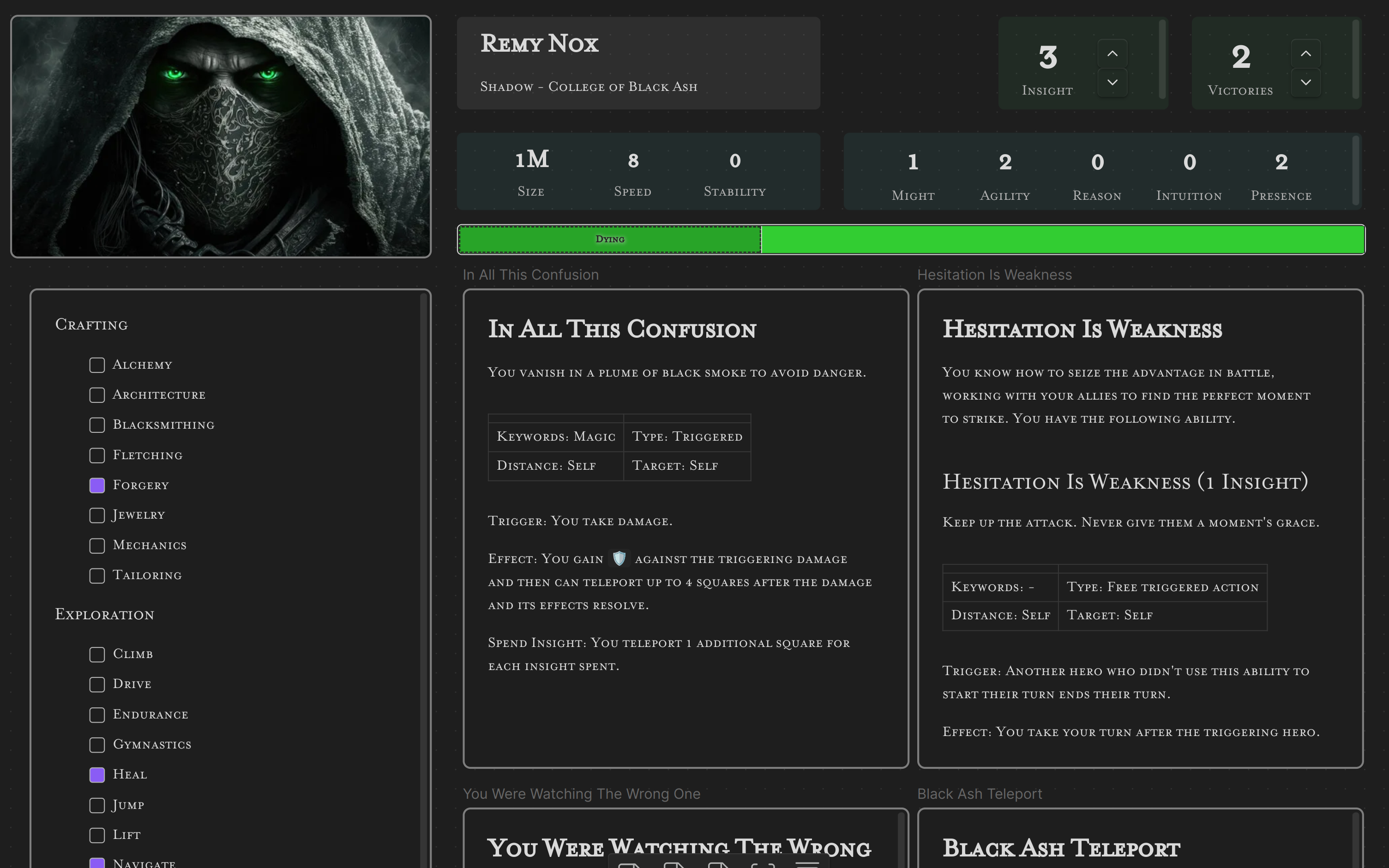
Hero sheetds-hero

One hero in one block: Stamina and Recoveries, heroic resource, surges, conditions, and their abilities as expandable, rollable cards. Class, ancestry, kit and abilities can all be pulled from the synced compendium by code.

Stamina bards-stamina-bar, ds-stamina, ds-stam

Current, maximum and temporary Stamina, with an optional Recoveries row, a Catch Breath button, and the Winded and Dying states.

stamina-bar

Conditionsds-conditions, ds-cond

A conditions strip for a single hero or creature, with the same condition picker the initiative tracker uses.

Heroic resourceds-resource

A counter for Ferocity, Focus, Piety, Essence and the rest — name the class and the block labels itself.

Surgesds-surges

A surge counter, with the damage a surge adds shown alongside it.

Hero tokensds-tokens

The party's shared hero token pool, in one canonical block.

Character sheet pieces

Various elements are provided to support building character sheets in Canvas. Canvas cards are read-only — good for a sheet you look at, not one you click:

canvas character sheet

Compendium Sync

Compendium Sync manages a local, up-to-date copy of the Draw Steel Compendium in your Obsidian Vault.

Once it's synced, a ds-scc block renders any entry in it — the body is just the entry's SCC code.

Upgrading from before 7.0.0? The compendium tree was reorganised, and the plugin can move your existing copy to the new paths so Obsidian keeps your links working — see Migrating from 5.x to 7.0.0 and the migration map's review report.

Shared behaviour

  • Common element fields — collapsing a block.
  • Settings — appearance, fonts, statblock layout presets, rolling, and the per-block prefs: override for advanced users.