Track Your Hero
A whole character in one block — Stamina, Recoveries, heroic resource, surges, conditions and their abilities — that updates itself as you play.
New to the plugin? Start with Getting started.
The quick version
In Editing view, type /ds and pick Hero sheet. Edit the name, level and
characteristics. Switch to Reading view.
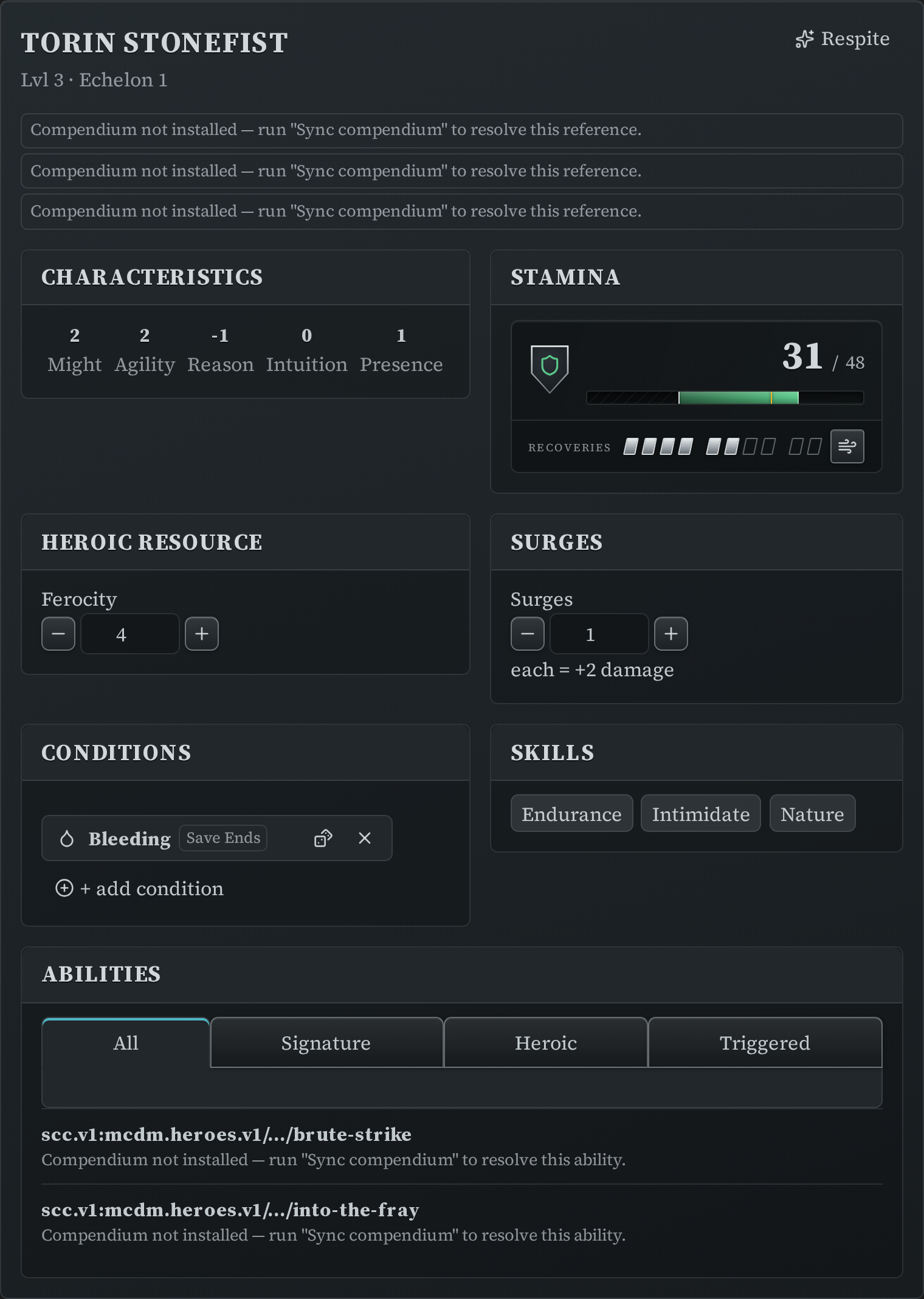
That's a working sheet. Everything on it is clickable, and every click is saved back into the note.
Let the compendium do the maths
The example sheet refers to a class, an ancestry and a kit by their compendium codes:
~~~ds-hero
name: Torin Stonefist
level: 3
ancestry: scc.v1:mcdm.heroes.v1/ancestry/dwarf
class: scc.v1:mcdm.heroes.v1/class/fury
subclass: berserker
kits: [scc.v1:mcdm.heroes.v1/kit/mountain]
characteristics: { might: 2, agility: 2, reason: -1, intuition: 0, presence: 1 }
skills: [Endurance, Intimidate, Nature]
abilities:
  - scc.v1:mcdm.heroes.v1/feature.ability.fury.level-1/brutal-slam
~~~
With the compendium synced, the sheet works out maximum Stamina, Recoveries and which heroic resource you use (Ferocity, Focus, Piety…) from those. You don't type any of it.
Don't want to sync? Say the numbers yourself instead — max_stamina:, recoveries_max:
and resource: — and the sheet uses those. If a code can't be resolved, the sheet says so
next to that slot and keeps working.
To find a code, use Insert Draw Steel: compendium reference from the command palette
(Ctrl/Cmd + P), search for the class or ability, and copy the code out of the block it
writes — or hold Ctrl/Cmd when you pick a result to copy the code directly.
At the table
- Stamina — click the bar to apply damage or healing.
- Recoveries — click a marker to spend or restore them. Clicking the last full one spends exactly one; clicking further spends several at once, which is what the rules ask for ("lose 1d3 Recoveries"). Every change offers an Undo in the notice that follows.
- Catch Breath spends a Recovery to heal a third of your maximum Stamina.
- Winded and Dying are shown by the frame, the crest, the word and the numeral's colour — never colour alone.
- Heroic resource and surges have steppers. Nothing is ever spent for you; rolling never takes your surges.
- Conditions — add from the picker, click one to remove it.
- Abilities are compact rows. Click one to expand the full card. If you have turned rolling on (Settings → Rolling), clicking a tier row rolls it.
[respite]in the header takes a respite: Stamina and Recoveries back to full, temporary Stamina and surges cleared, end-of-encounter conditions removed. Save-ends and end-of-turn conditions stay, because a respite doesn't clear those.- Edit definition opens a form for the written half of the sheet — name, level, class, abilities — without exposing the play state.
Everything you change during play lives in a state: section the plugin maintains. The
part you wrote stays exactly as you wrote it.
Or track one thing at a time
You don't need the whole sheet. Each panel is also a block of its own — handy on a Canvas character sheet or in a session note:
| Block | What it tracks |
|---|---|
ds-stamina-bar |
Stamina, Recoveries, Winded/Dying |
ds-resource |
The heroic resource, named by class |
ds-surges |
Surges |
ds-conditions |
Conditions |
ds-tokens |
The party's shared hero tokens |

Keep one hero token block for the table — it's a shared pool, and two of them are two different numbers.
See also
- Hero sheets and trackers — every field
- Stamina Bar — how to read the gauge, and the Recoveries controls
- Party tracker — victories, XP, renown and wealth for everyone at once